
Self-hosted remote git manager
Push a hotfix from your phone.
A little daemon that finds your repos and puts them on your phone. Fetch, commit and push from anywhere.
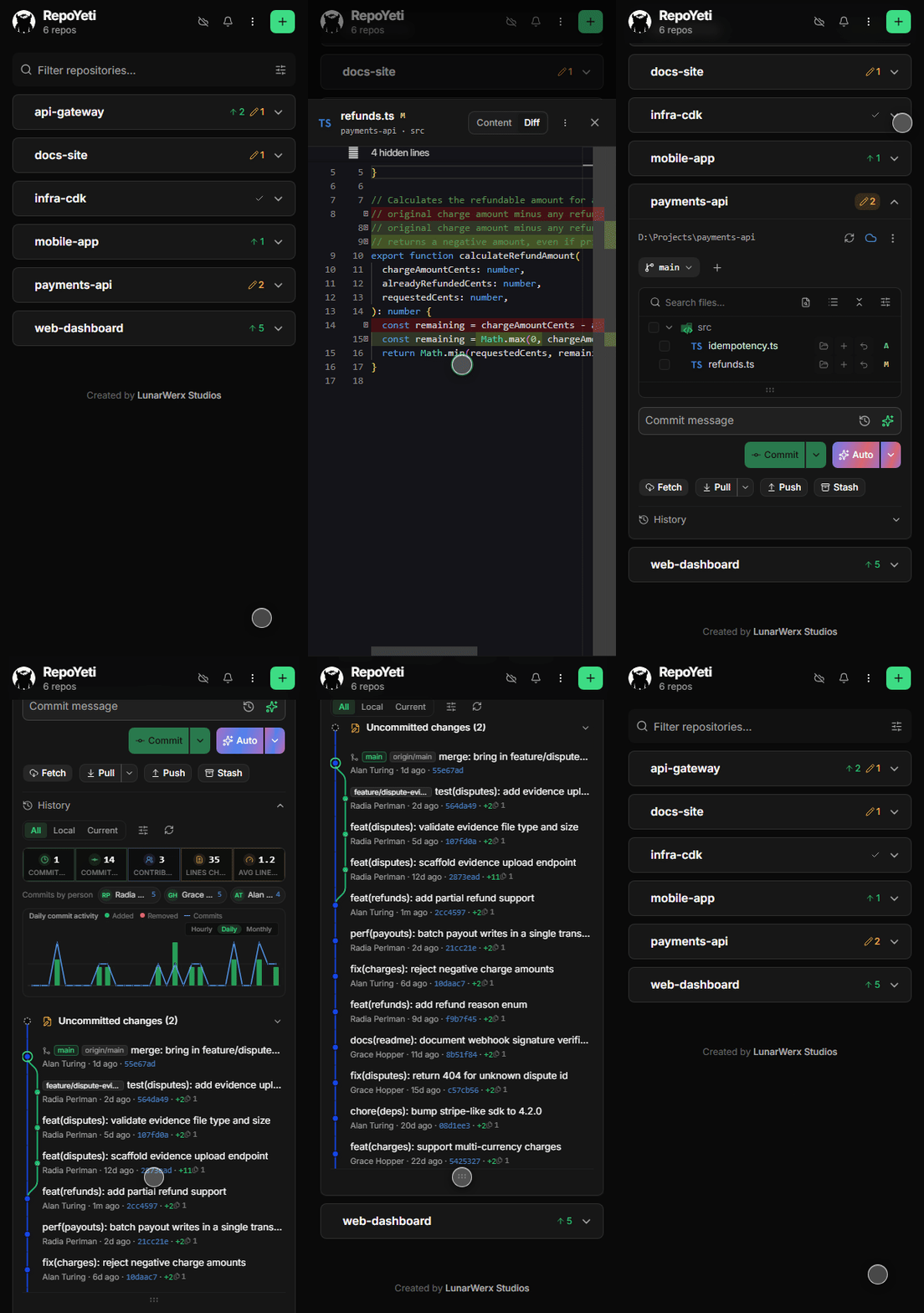
Why it exists
Your build went red. You're at dinner.
For when something needs a git command and you are nowhere near your desk.
What it won't let you do
An app that can push git from your phone should scare you.
So the dangerous parts are absent: no force-push, no reset --hard. A phone is a lousy place to rewrite history.
- Pull only fast-forwards. If your branch has diverged, it stops and tells you instead of merging.
- No force-push. The flag doesn't exist in here.
- Commits use the right identity. So nothing goes out under your personal email at 11pm.
- Discarding a file shows the diff first. Nothing disappears on you.
- ✕ No force push
- ✕ No hard reset
- ✕ No rebase from your phone
- ✕ No non-fast-forward merge
- ✕ No identity mix-ups
- ✕ No keys leaving your daemon
For anything you can't take back, use your laptop.
History
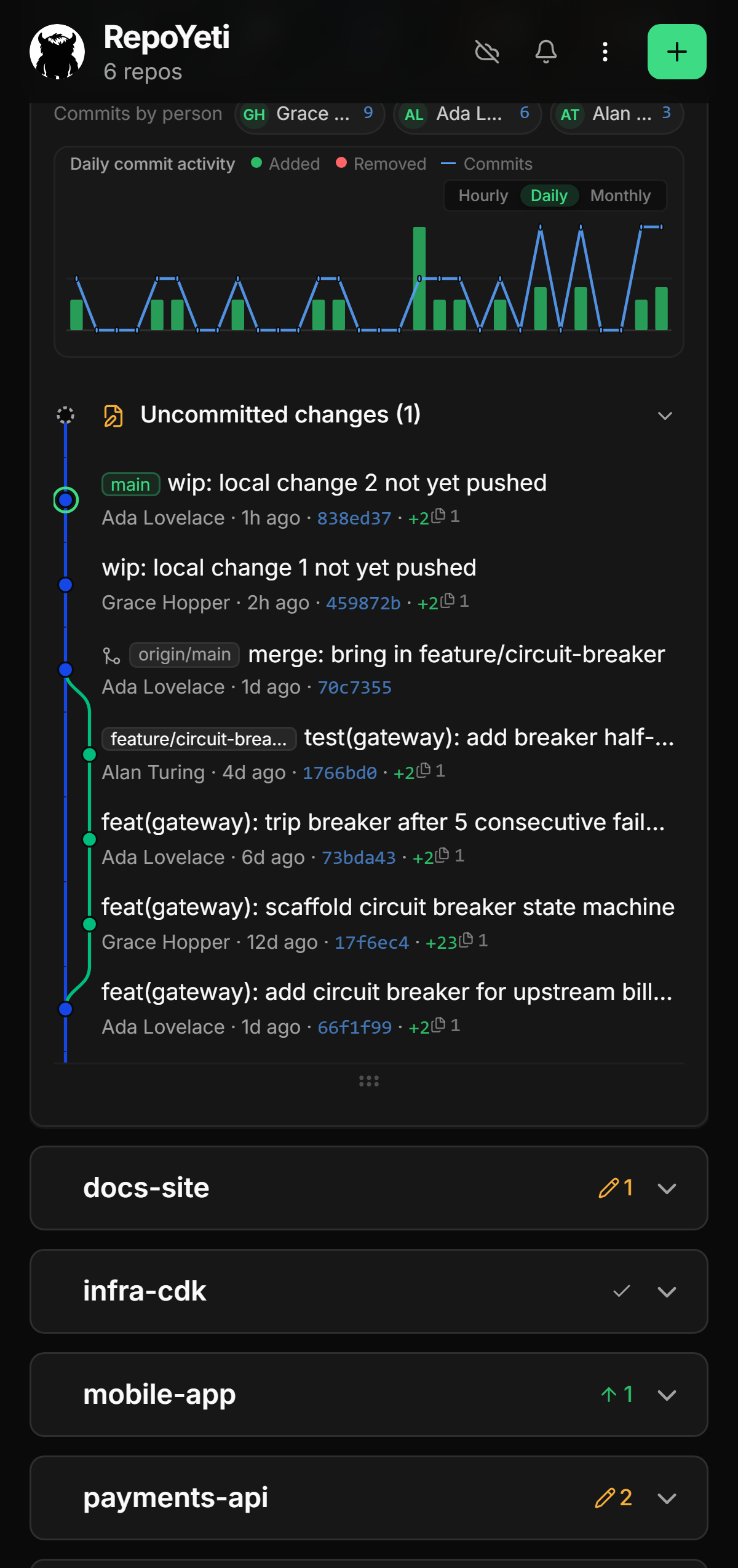
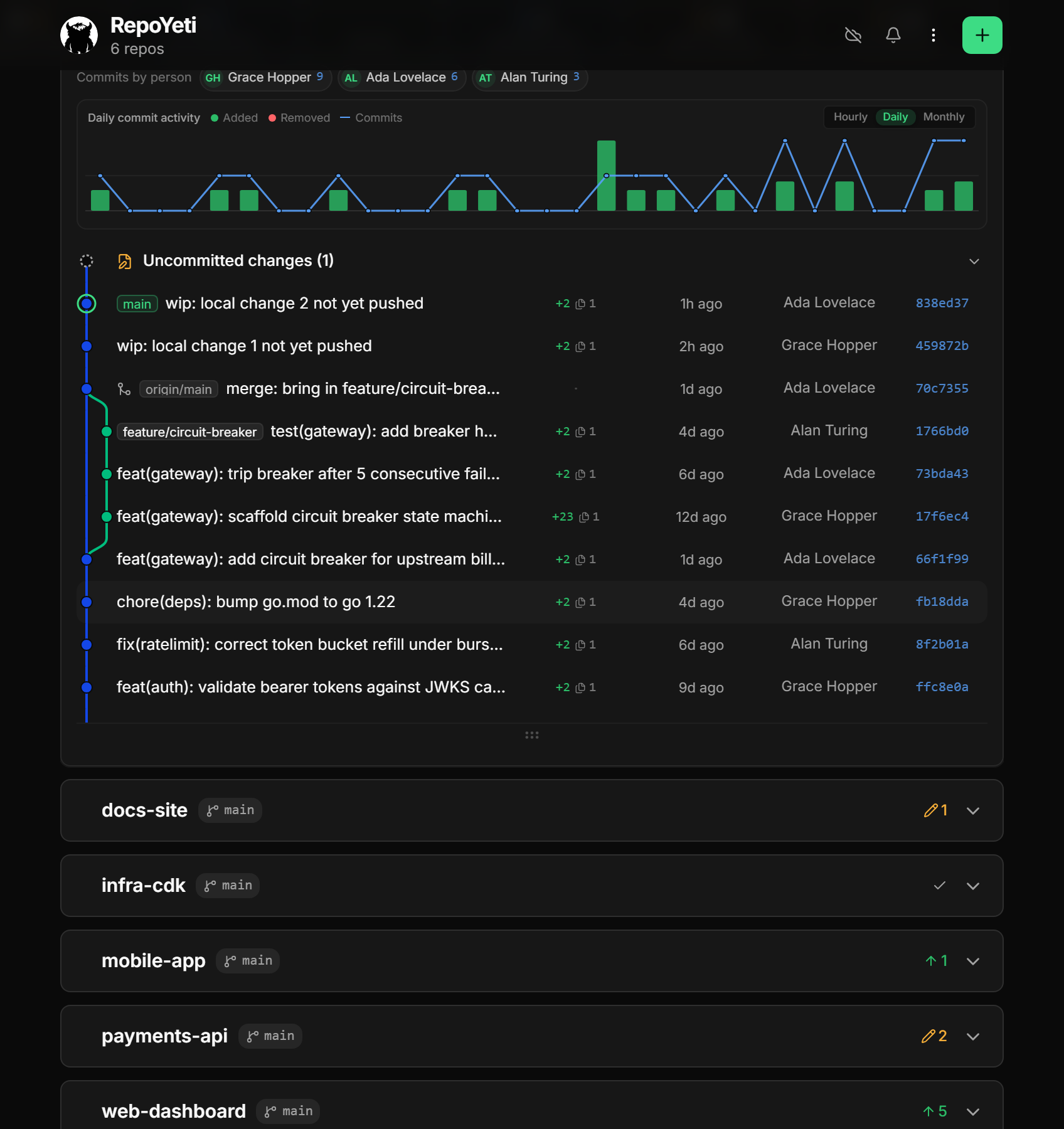
The commit graph, like you get on desktop.
Branches get lanes, merges connect back up, uncommitted work sits on top. Your actual git log, drawn.
Viewer & diffs
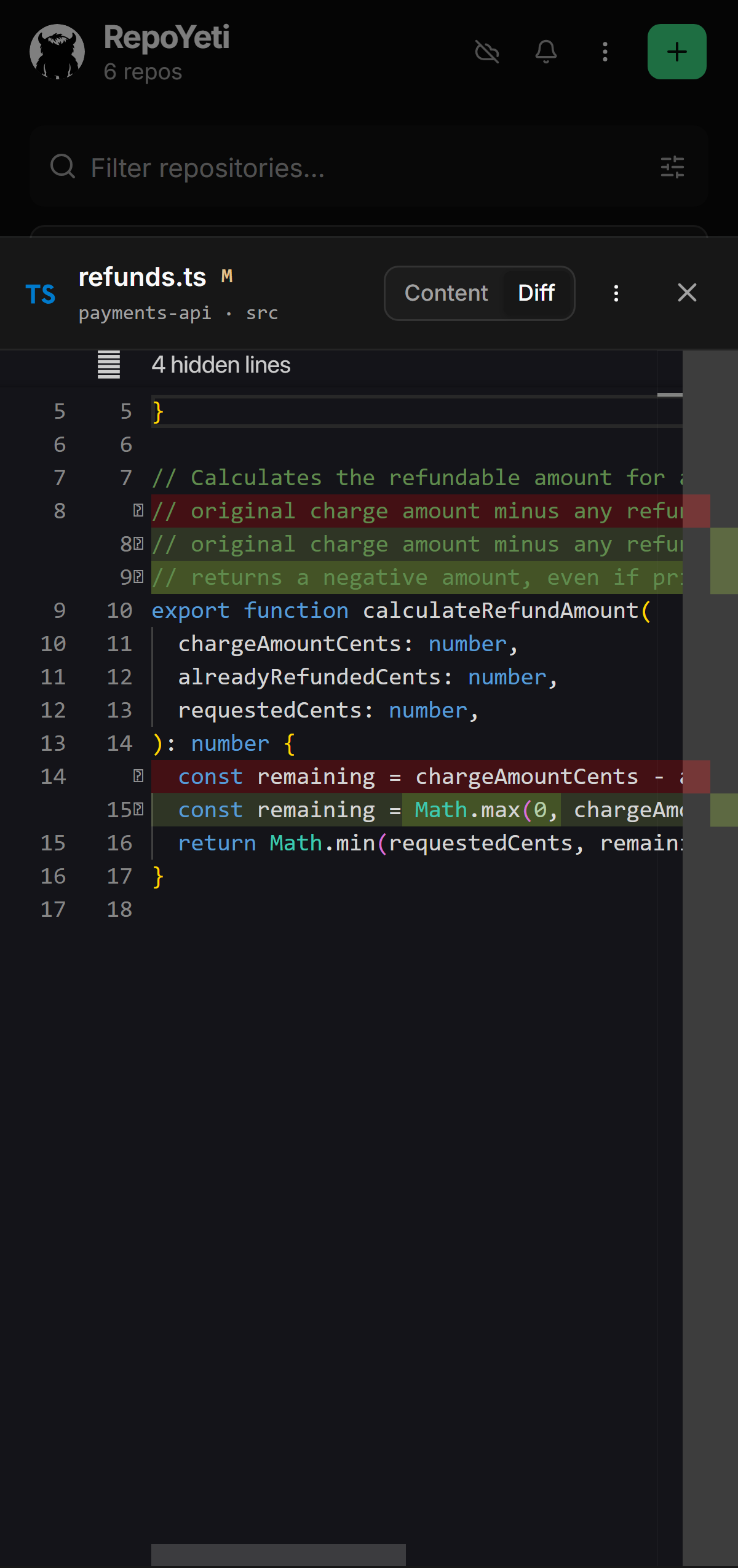
It's the actual VS Code editor.
Real Monaco: syntax highlighting, proper diffs against HEAD, unchanged parts folded away. Fix a typo and save, right there.
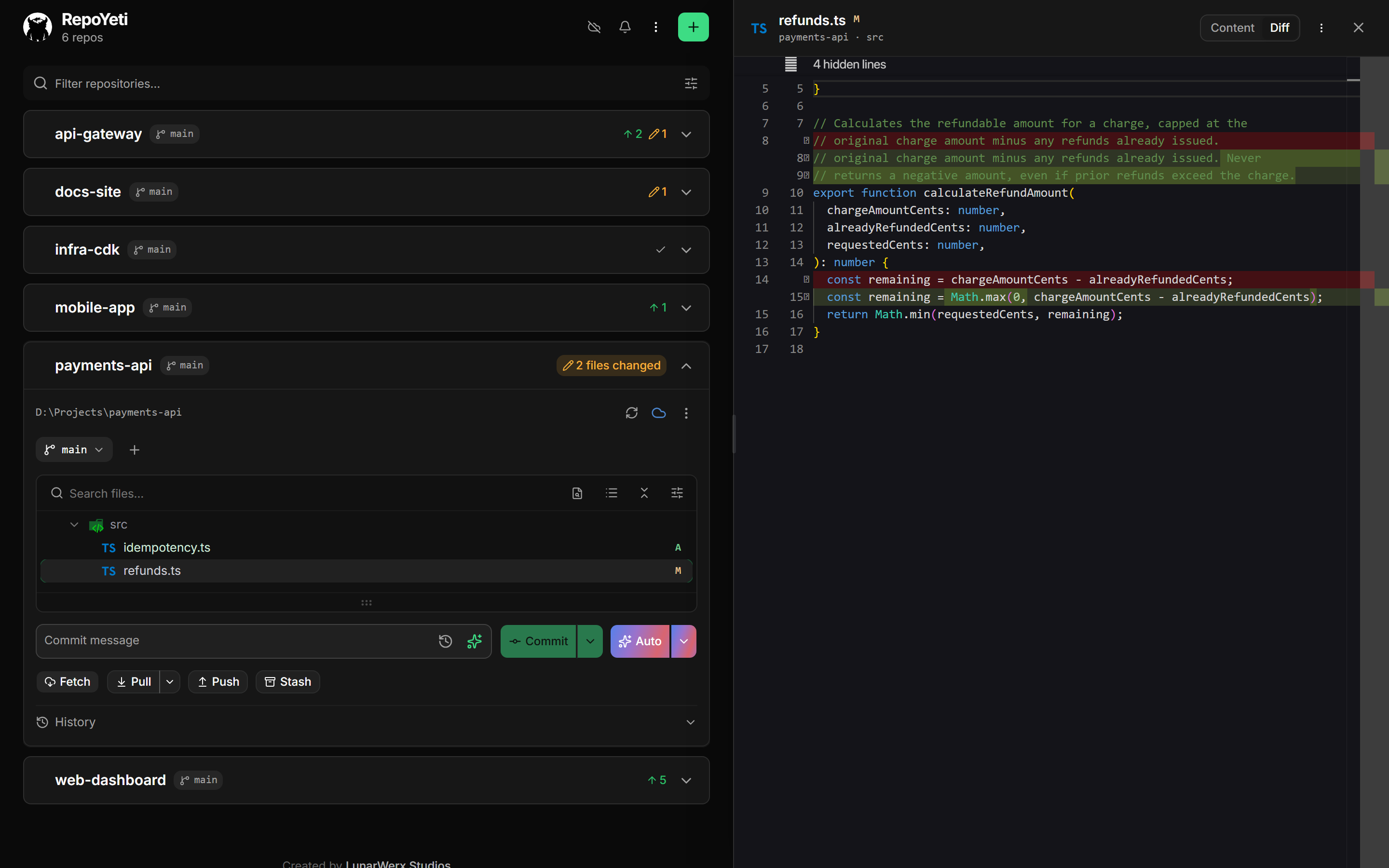
Every repo, one screen
See your whole machine at once.
Every repo you have, with which are dirty, ahead or behind. Live, so it updates itself.
↻ Fetch everything at once
One tap checks every repo. Handy for spotting what moved overnight.
◈ Updates live
Commit in your terminal and watch it show up here.
⚑ Pin and hide
Keep the repos you actually use on top. Hide the rest.
⌥ Right identity, always
Work email on work repos, personal on the rest. You don't have to think about it.
Smart Commit
Let AI untangle a messy commit.
A dozen files touching three unrelated things. Smart Commit reads the diff and suggests clean splits.
Bring your own key: Groq (free), OpenAI, Claude, Gemini, OpenRouter or DeepSeek. Your code only ever reaches the model you picked.
No lock-in
It's still just git.
Under the hood it is simple-git on the repos already on your disk. Delete RepoYeti and nothing changed.
Running it
How to run it.
One binary for macOS, Linux and Windows. Point it at your code folders, sign in with Connections, and your phone can reach it.
v1.2.0 · checksums · all releases
Bun · bun:sqlite · Hono · simple-git · Vue 3 + Tailwind PWA
Alternatives
How it compares.
| Instead of | RepoYeti |
|---|---|
| GitHub Mobile | Built for pull requests and issues on github.com. It never sees your desktop's working tree; RepoYeti is that working tree. |
| Working Copy | Clones each repo onto the phone, a second copy to keep in sync. RepoYeti clones nothing. |
| SSH and a terminal app | Every git command that exists, including the ones you don't want fat-thumbed. RepoYeti trades that for a UI that simply can't run them. |
Licensing
Free unless you're a business.
$0 Noncommercial
Personal projects, learning, research, non-profits. Every feature, no account, no time limit. Source is public under PolyForm Noncommercial 1.0.0.
$79 Commercial
Per machine running the daemon; the phones are free. Perpetual, with 12 months of updates, and it keeps working after.
Checkout is handled by Connections, so that is the name on the receipt. Volume pricing: ask on Discord. Terms: pricing.md.
FAQ
What people ask first.
What is RepoYeti?
A small daemon on your computer that finds every git repo you have and serves a dashboard to your phone: status, history, diffs, commit, push. Your code never moves.
Does my code ever leave my computer?
Not to us. Git traffic goes to your own remotes. AI features send only the diff you're committing, to the provider you configured, under your key, when you press the button. Beyond that, a once-a-day version check carries a random install id, the version, and a coarse OS tag. Set REPOYETI_NO_PING=1 to switch even that off.
Is RepoYeti free?
Free to download and run under PolyForm Noncommercial 1.0.0: personal projects, research, education, non-profits. The source is public. Commercial use needs a licence: $79 per installation, perpetual, including 12 months of updates. See Pricing. Nothing is ever time-limited or feature-gated.
Can I force-push or reset --hard from it?
No, and not as a setting: they aren't in the app. Pulls are fast-forward-only and stop rather than merge when a branch has diverged. Rewriting history belongs at your desk.
What AI provider does Smart Commit use?
Whichever you bring. Groq is suggested (free, about three clicks); OpenAI, Claude, Gemini, OpenRouter and DeepSeek also work. Your key lives in your OS keychain and is sent only to the provider it belongs to.
How do I reach it from my phone?
Run repoyeti start --tunnel. It opens a private Cloudflare tunnel and prints a QR code. Sign-in returns through app.repoyeti.com, which works only while your daemon is running; your dashboard and git traffic never pass through it.
How is it different from GitHub Mobile or Working Copy?
GitHub Mobile works on repos hosted at github.com, not your desktop's working tree. Working Copy clones each repo onto the phone, a second copy to keep in sync. RepoYeti clones nothing: your desktop stays the one working tree and the phone is a window onto it.
Is it code-signed?
Yes, from 1.0.1 on. The executable, the tray launcher and the tray scripts are Authenticode-signed as CN=LUNARWERX LLC and timestamped, so Windows names the publisher. Integrity is separate and always was: every release ships a SHA256SUMS.txt, and the updater refuses any download whose hash doesn't match it.